
oddsockets
Real-time messaging for coding agents — pub/sub, presence and history your agent provisions itself, from the command line.
Prototype in one command. Ship the same channels to production — no rewrite.
Your agent can write the app but can't give it a real-time backbone without you stopping to wire up a messaging service. oddsockets is the CLI the agent runs itself: one install, and it signs up, mints its own key, and starts publishing and subscribing to live channels — the same channels that carry your production traffic. Zero dependencies.
Works with: Claude Code · Cursor · Cline · Windsurf · Aider · Codex · any terminal
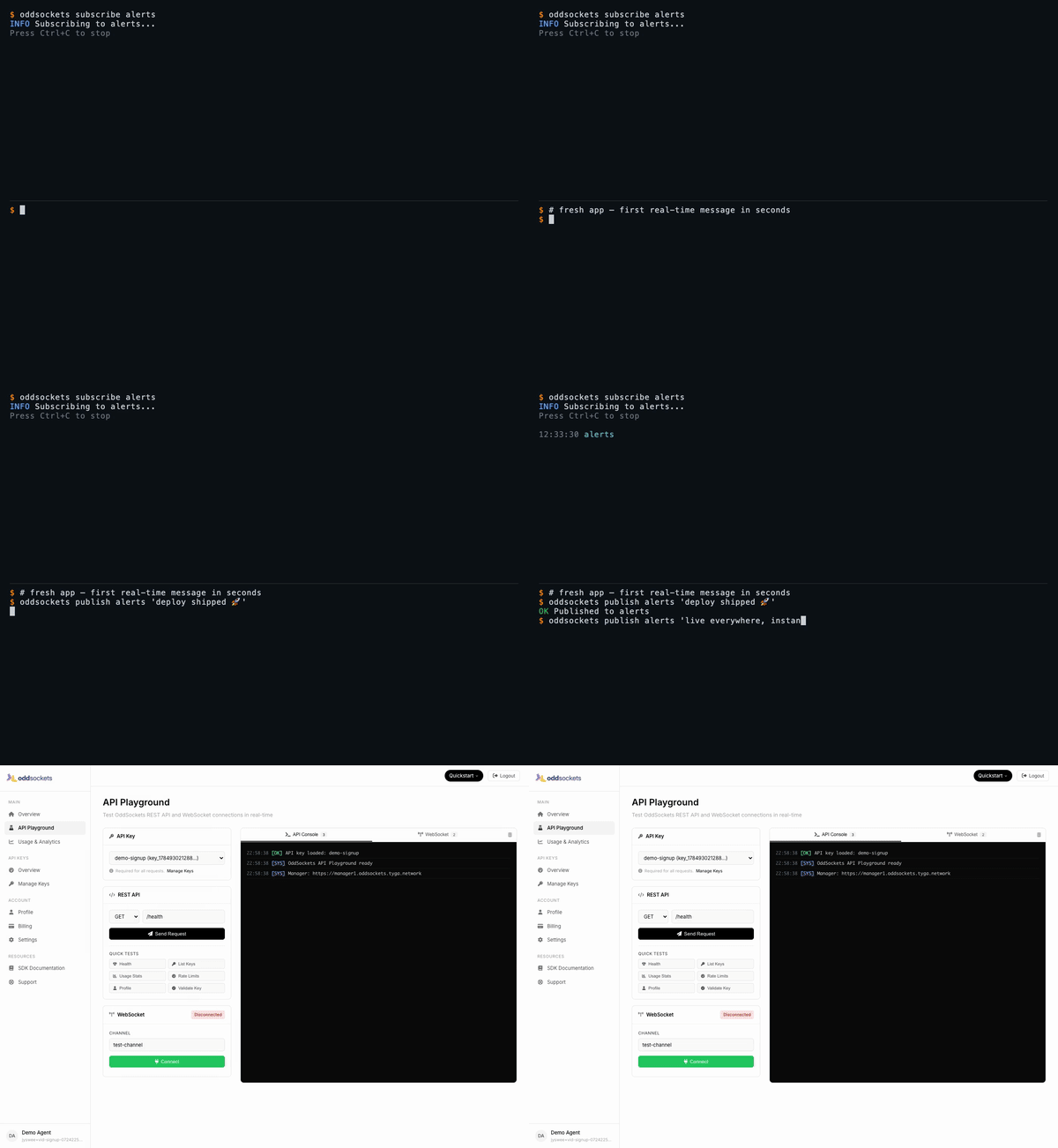
Signup to your first real-time message in 60 seconds — watch the full demo.
See it live
Each demo below is a real CLI session — a throwaway account, a real key, real messages over the live cluster — stitched to the developer dashboard showing that same traffic. Click any tab for the full-res video.
| Signup → first message | Live pub/sub | Who's online | Agent integration |
|---|---|---|---|
| 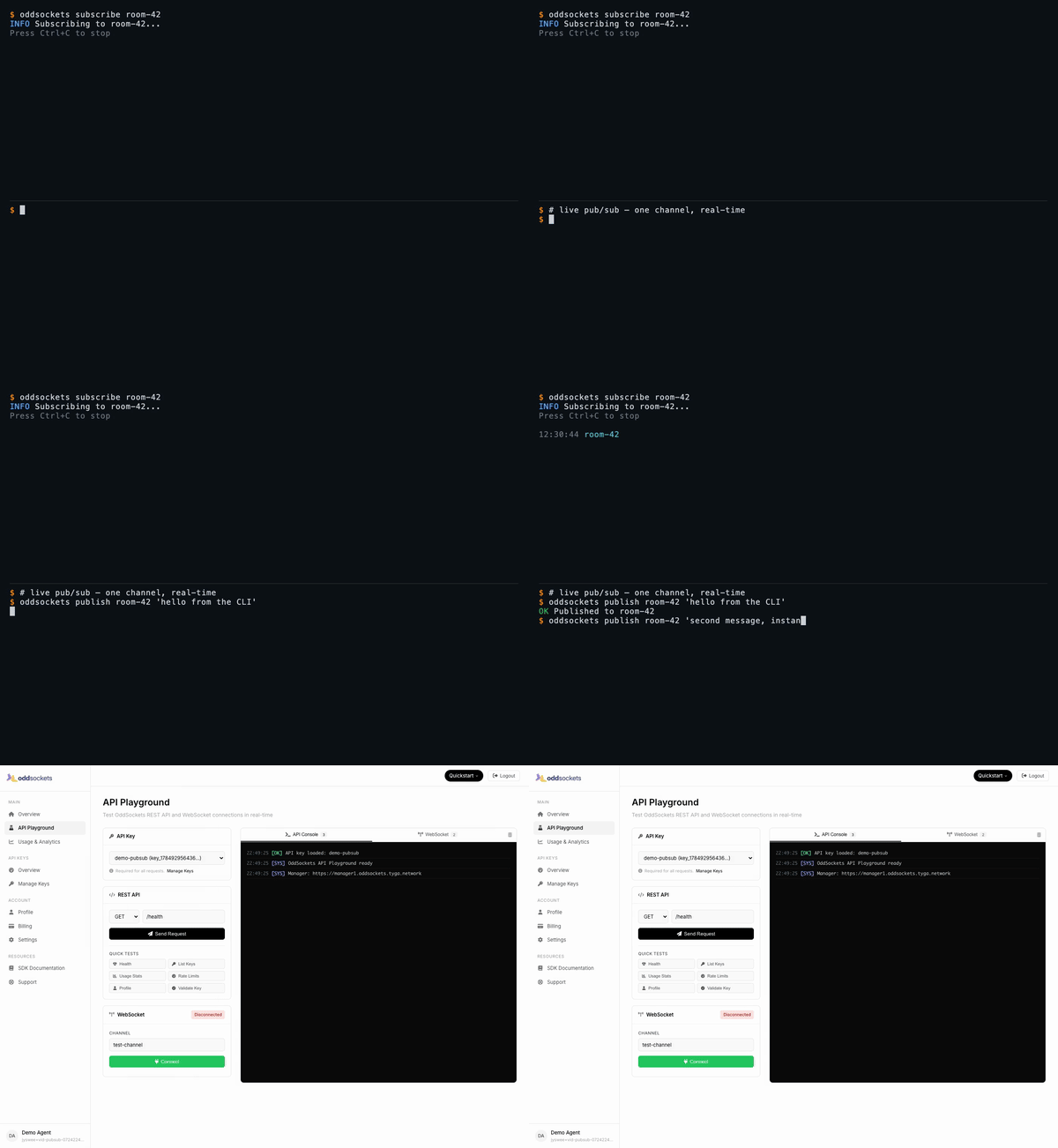 | 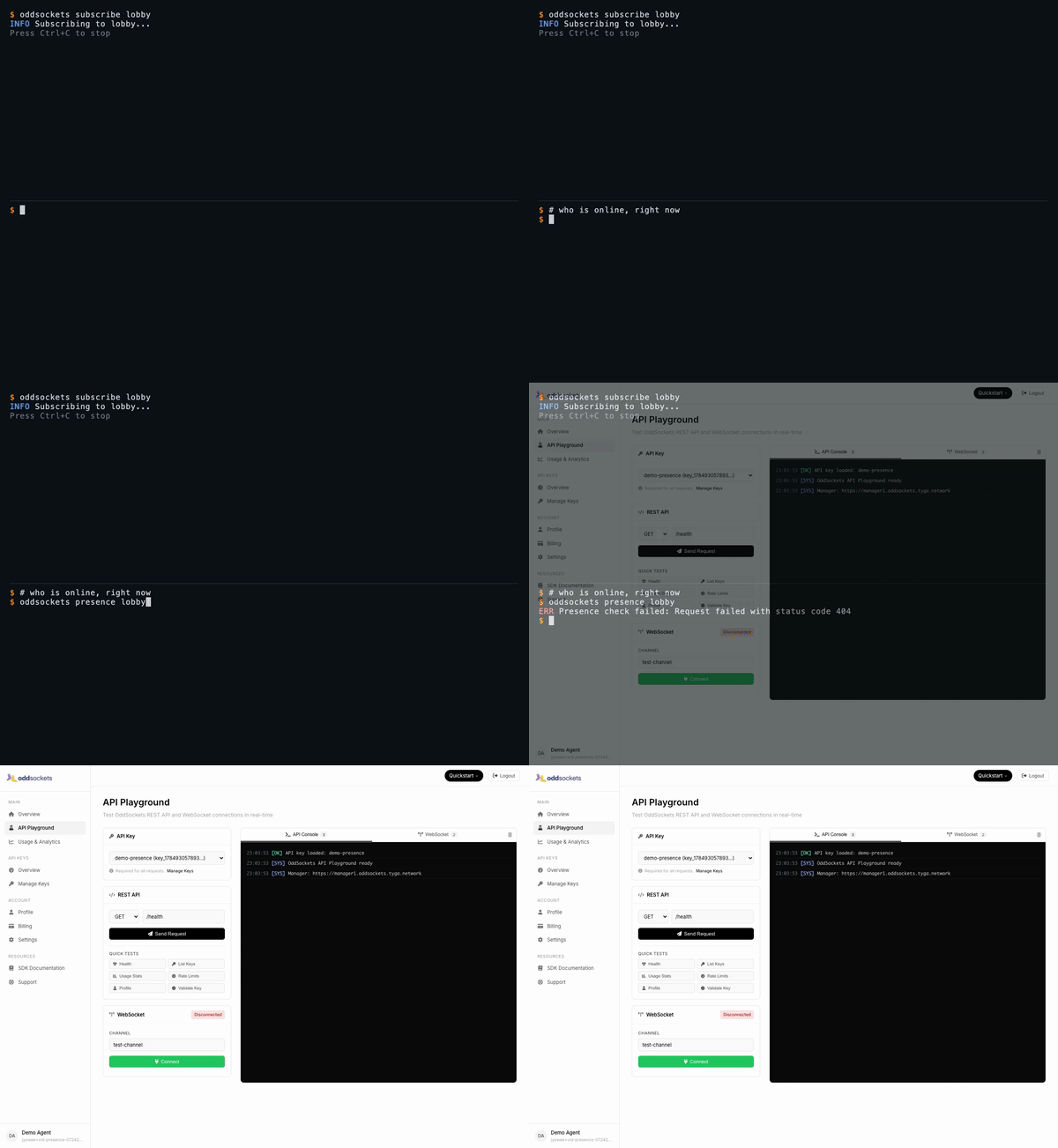 | 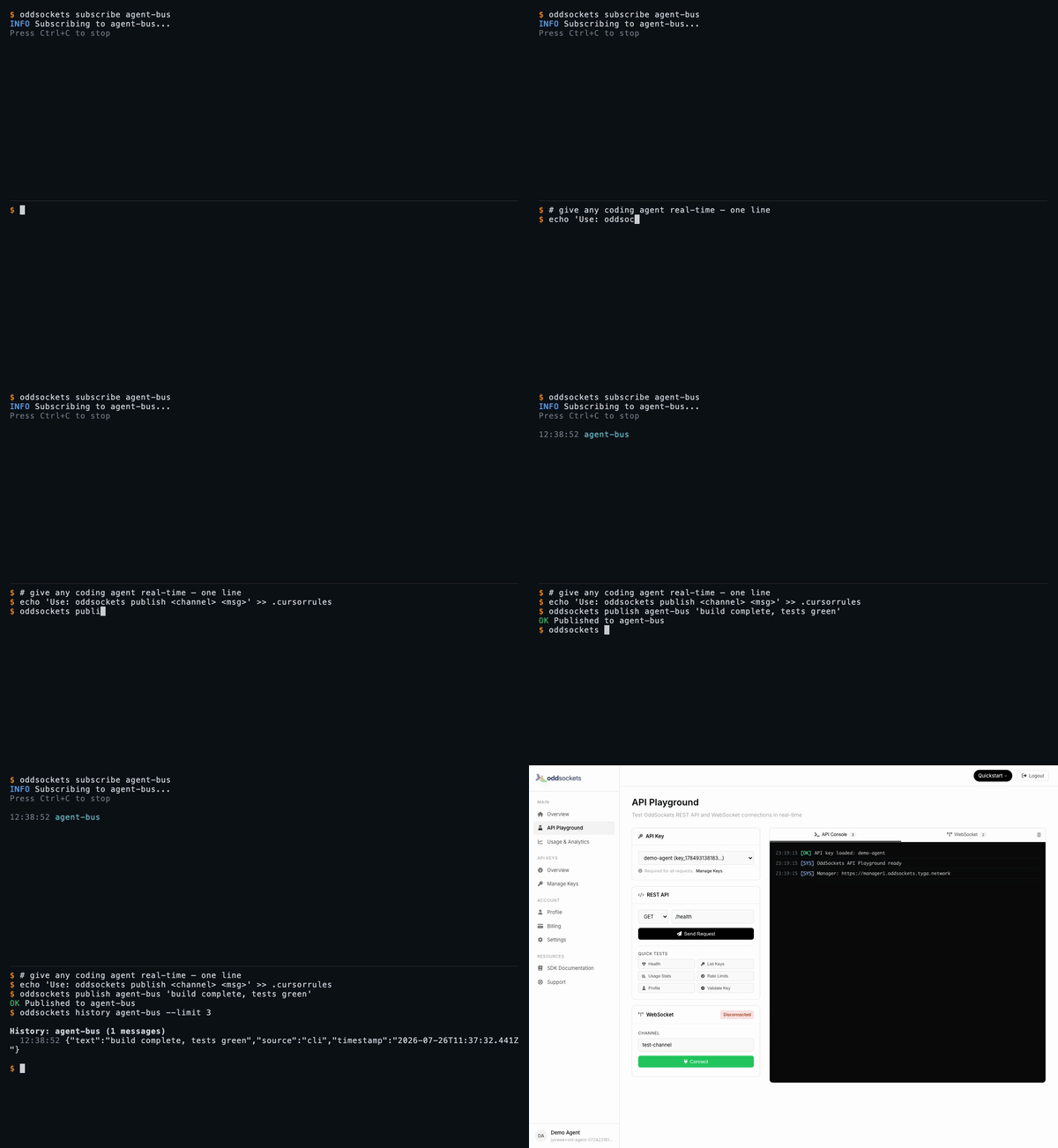 |
| Fresh app, first message in seconds | One channel, two messages, instant | Live member list | publish + history in one line |
Watch the full set on oddsockets.com →
Install
npm install -g oddsockets
Quick Start
# 1. Sign up (instant API key, no email verification)
oddsockets signup my-app --local

# 2. Publish a message
oddsockets publish my-channel "Hello from the CLI!"

# 3. Subscribe (live tail)
oddsockets subscribe my-channel

# 4. Check who's online
oddsockets presence my-channel
Pub/sub — one channel, real-time
The core primitive: publish to a channel, subscribe to tail it live. Every subscriber gets every message the instant it lands — no polling, no queue to run.
oddsockets subscribe room-42 &                     # live tail in the background
oddsockets publish room-42 "hello from the CLI"    # arrives on the tail instantly
oddsockets publish room-42 --file payload.json     # publish structured data from a file
Presence — who's online, right now
Ask any channel who's connected. Presence is tracked server-side and updates in real time as clients join and leave.
oddsockets subscribe lobby &     # join the channel
oddsockets presence lobby        # live member list
History — replay what you missed
Channels keep a rolling message history, so a client that connects late (or your agent after a context reset) can catch up.
oddsockets history agent-bus --limit 10
Agent Integration
Add to your CLAUDE.md, .cursorrules, .clinerules, or .windsurfrules:
## OddSockets
Use the `oddsockets` CLI for real-time messaging.
Key is in .oddsockets/config.json (auto-loaded).

oddsockets status                           # cluster health
oddsockets publish my-channel "message"     # send message
oddsockets subscribe my-channel             # live tail
oddsockets presence my-channel              # who's online
oddsockets keys                             # list API keys
MCP Server (remote)
Prefer tools over a CLI? No install needed — point Claude Web, Claude Desktop, Cursor, Cline, Windsurf, Raycast, or any MCP client at our hosted server and your agent gets 12 native tools: publish, history, presence, channels and API-key management.
URL:  https://mcp.oddsockets.ai/sse
Auth: Authorization: Bearer YOUR_API_KEY
No key yet? Connect keyless and call oddsockets_get_started, then oddsockets_signup to self-provision an app and mint your own key — then reconnect with the Bearer header to unlock every tool. Same account, same channels as the CLI.
Commands
Setup
Messaging
Channels
API Keys
Admin (superadmin)
Operator commands for running the whole platform from the CLI — fleet monitoring, tenant/key provisioning, session and security management. Credentials span three planes; save them once with oddsockets admin login (manager analytics key, worker dashboard basic-auth, and the tenant superadmin key). Every command supports --json for scripting, and the live monitors support --watch.
Worker dashboard sections (admin worker <id> <section>): stats, channels, connections, telemetry, messages, recent, threads, dms, notifications, reactions, files, presence, receipts, disk, redis, or all.
Flags
--json— Machine-readable JSON output (every command)--key KEY— Override API key for one command--local— Use project-local config (.oddsockets/)--watch— Live-refresh admin monitors (fleet/worker/session/analytics)--interval N— Refresh interval in seconds for--watch(default 5)--confirm— Required for destructive admin ops (drain, block, cleanup, …)--help— Help
Config Priority
--keyflagODDSOCKETS_API_KEYenvironment variable.oddsockets/config.jsonin project directory~/.oddsockets/config.jsonin home directory
Pricing
7-day free trial on every plan. Card required (secure Stripe checkout), nothing charged during the trial — cancel before it ends and you pay nothing. Agents and the CLI get a 48-hour keyless window to prototype before a key is needed. Plans from $29/mo. Details.
SDKs
Prefer to build it into your app? OddSockets ships a native SDK for every major language and runtime — same real-time channels, pub/sub, and presence, idiomatic to each stack. Each card links to its maintained repo; for a 60-second install + connect snippet in your language, see examples/.
Get Accredited
Prove you can build and operate real-time features on OddSockets — channels, presence, pub/sub, delivery guarantees and production liveops — on the stack itself. Three tiers (TCU / TCA / TCP), certified through tyga.games and delivered on ClassaaS.
Get accredited on tyga.games →